
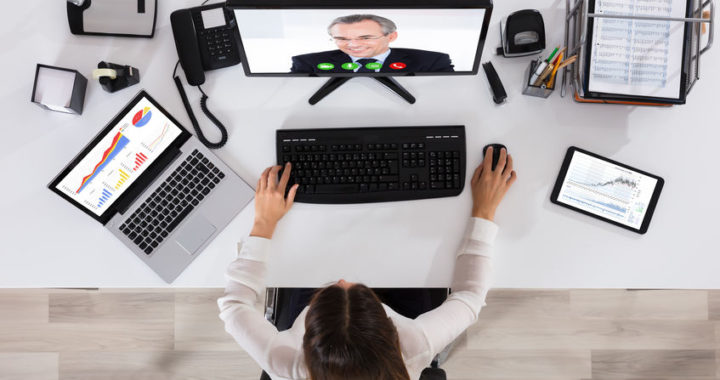
I have helped many clients set up remote and working at home workers and I am writing a two-part series to assist companies as they think through items needed to figure out how best to accommodate customer needs and employee safety.
This Part 1 is focused on Infrastructure, Policies and Tools. Part 2 will look at ways for employees to not be distracted when working from home and ways for companies to maintain productivity, culture and fun. These items are a good place to start. There is always more to do and know, but much will naturally evolve with the right foundation. We need to do our part for society’s health now and do our best to sustain our businesses for when this is over. We are all in this together and together we got this!
Part 1 – Practical basics to transition to a working from home model, when you didn’t expect to.
- Infrastructure – Working from Home
- Strong internet – broadband is generally fine. Try for a minimum of 100×10. Time of day neighborhood fluctuations may impact your speeds. Generally, in the $50 to $100 range per month depending on location and providers.
- An improved Router/Firewall may be in order. A business Small Office Home Office (SOHO) Router may be needed. This may be a cost you didn’t expect. The typical home router is generally very limited. Corporate security today is vital and the edge devices matter. These can range from about $300 to $700 upfront. I suggest a plan to make sure your edge device stays updated with patches and updates. This can add an annual or monthly cost.
- Wireless 802.11__, that would cover any area of the home from where your employee will want to work. This can be inexpensive or even reused if it sits behind the new Router/Firewall. If you can get one that separates a business and a guest network, that would be best.
- Wire or wireless All-in-One Printer, scanner and copier, may prove very helpful. Although optional, these can range from $90 to $300 for really a pretty good device. Ink can be expensive.
- A Quiet Area with a door, that will minimize the chances for children, spouse or pets to interrupt a customer or internal business call or video or audio conference.
- VPN or Remote Desktop connectivity back to the office, as needed and or Remote Access to any cloud software as a service tools, the company uses. If they don’t already exist some consulting is needed. This all can be enhanced with SD/WAN.
- Devices for Network Access through Laptop, Desktop, Chromebook, I-Pad, Physical Phone or Softphone. Probably already exist from the office. If not, the range is typically, $200 to $1,000.
Any good work from home experience requires some basic tools. These requirements can vary some, depending on what you need your, at home worker to be able to do. I am basing this on the general basic tasks of manning the phones and computer work.
-
Miscellaneous – Don’t forget to think about required connection cords, power cables, UPS backups, headsets and power bricks for IP Phones.
Policies – Working from Home
Some of these may need to be decided upon as you go, if this is new to your office. Many details will depend on your company specific items. Things to think about.
- Establish expectations for availability during business hours
- With the better connection in the home, what are expectations after hours?
- Is after hours communication appropriate? Develop guidelines to follow.
- Training – who does it? What does it consist of?
- What will the company reimbursement policy be for any infrastructure improvements?
- One-time upgrades, who owns these upgrades?
- How are Ongoing monthly costs paid? Internet service and security patching, etc.?
- What to do about any Car Allowance if not driving anywhere?
- If a personal Cell Phone is being used directly or through a Business Mobility Application, does this require any adjustments to any cell phone expense reimbursement?
- How will their previous job description be changed?
- If hourly, how is that managed?
- How will they be graded? What reporting is used?
- What happens after this temporary new normal is over and they transition back to the office?
- Software as a Service Tools
- Email – are you on O365, G-Suite or will remote access to the corporate server be provided?
- Document storage in the cloud – One Drive, Google Docs, Drop Box etc.
- Document Access to existing files. Are they physical or in the cloud?
- Unified Communication as a Service (UCaaS) aka telephones and related communication tools.
- Desk phone or softphones
- Team Collaboration for Projects and Tasks
- Mobile apps on a Smart device
- Video conferencing, Desktop Collaboration
- Business numbers with SMS and MMS messaging
Corporate Tools – Working from Home
These can be endless. A few of the most common are mentioned below:
If you have additional questions or suggestions, please share. You can reach me at dlaake@voipwerx.com or 513-453-4558.
Stay safe everyone!
